
Add a QR code or barcode
Last updated 26 October 2026.
For template authors: at the end, your template prints a QR code or a barcode from typed text or a field.

Before you start
- You have the Template Author role (Docable Configure and Docable Definition Author). The code reads text, so use a text field or type the value.
Steps
-
Click where the code goes and type
@. -
Open the Media tab and choose QR code or Barcode.
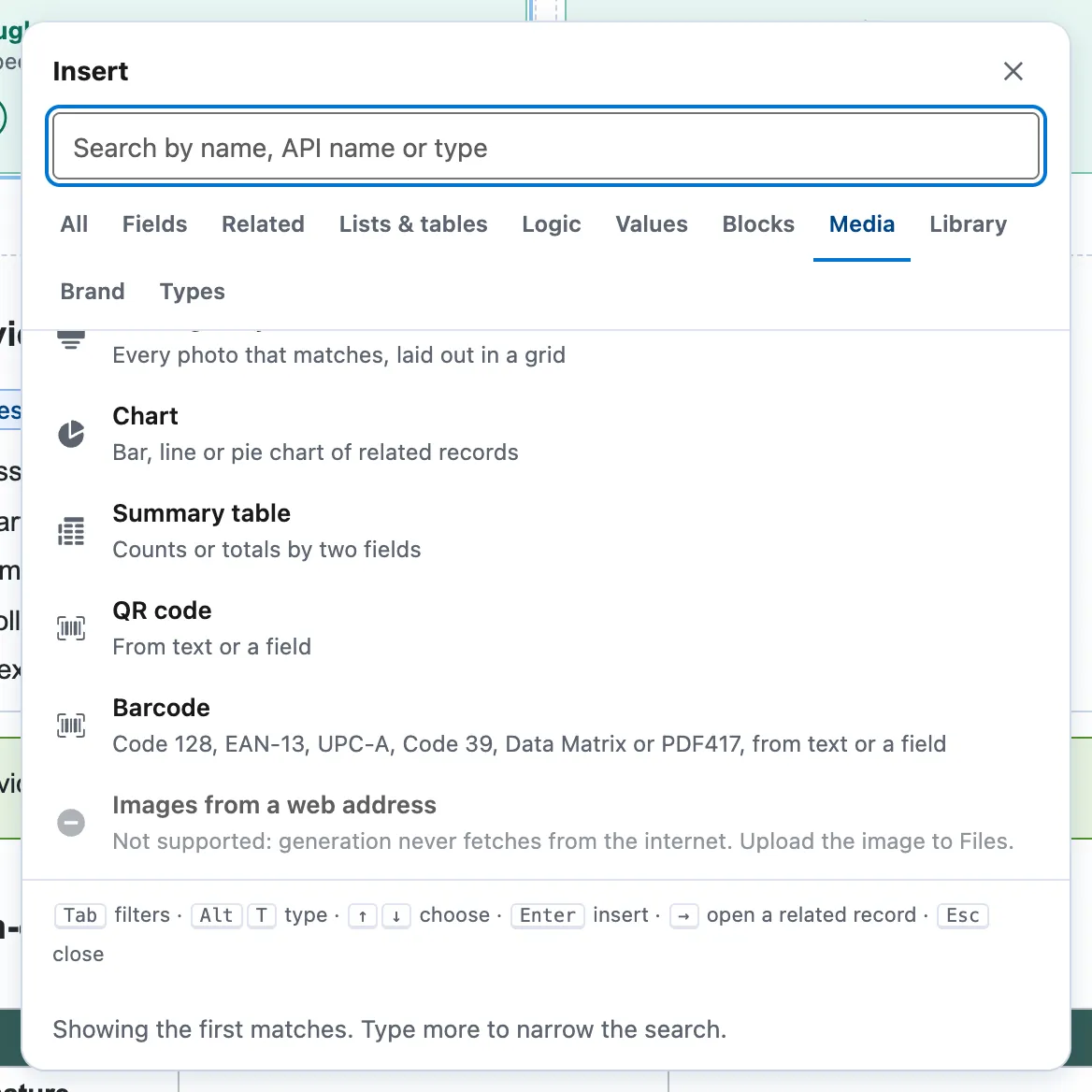
The Insert picker on the Media tab: Chart, Summary table, QR code and Barcode. -
Under Encodes, choose Text I type and fill in Value, or choose a field. For a QR code set Size (pt).
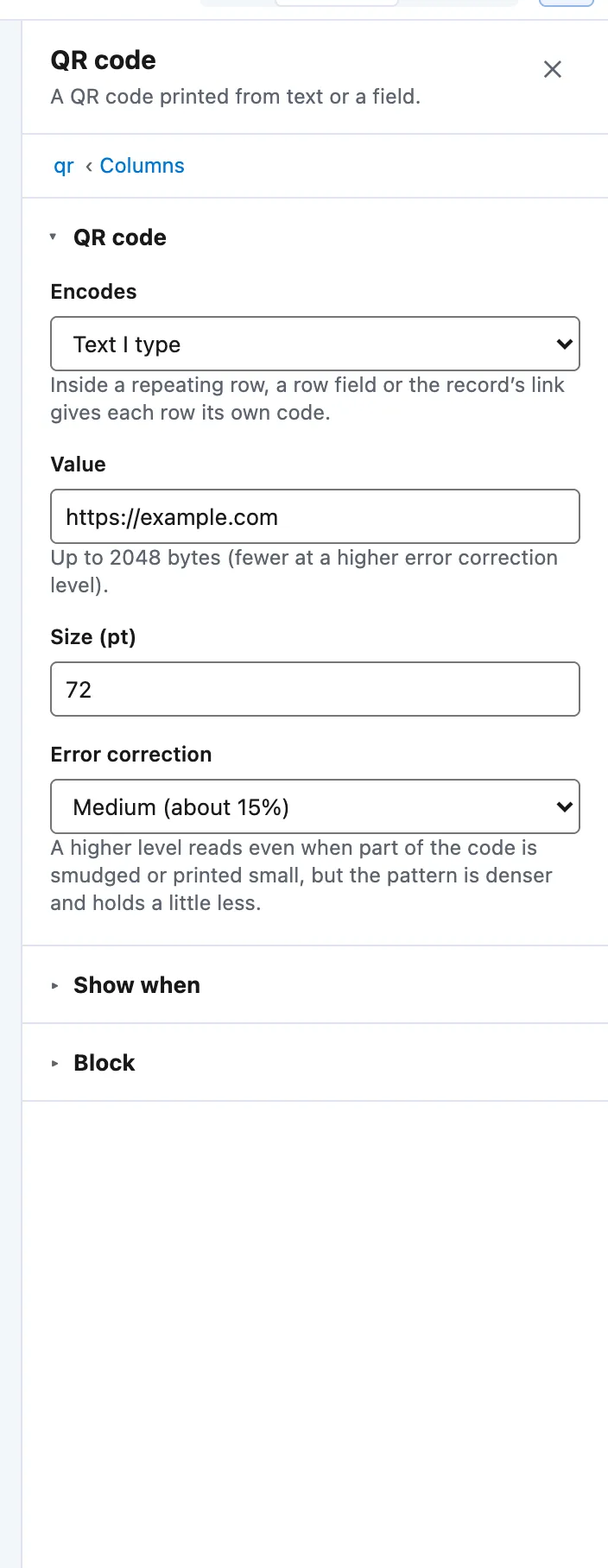
The QR code panel: Encodes, Value, Size (pt) and Error correction. -
For a barcode, choose its Kind, set Height (pt), and tick Print the value under the bars if you want the digits shown.
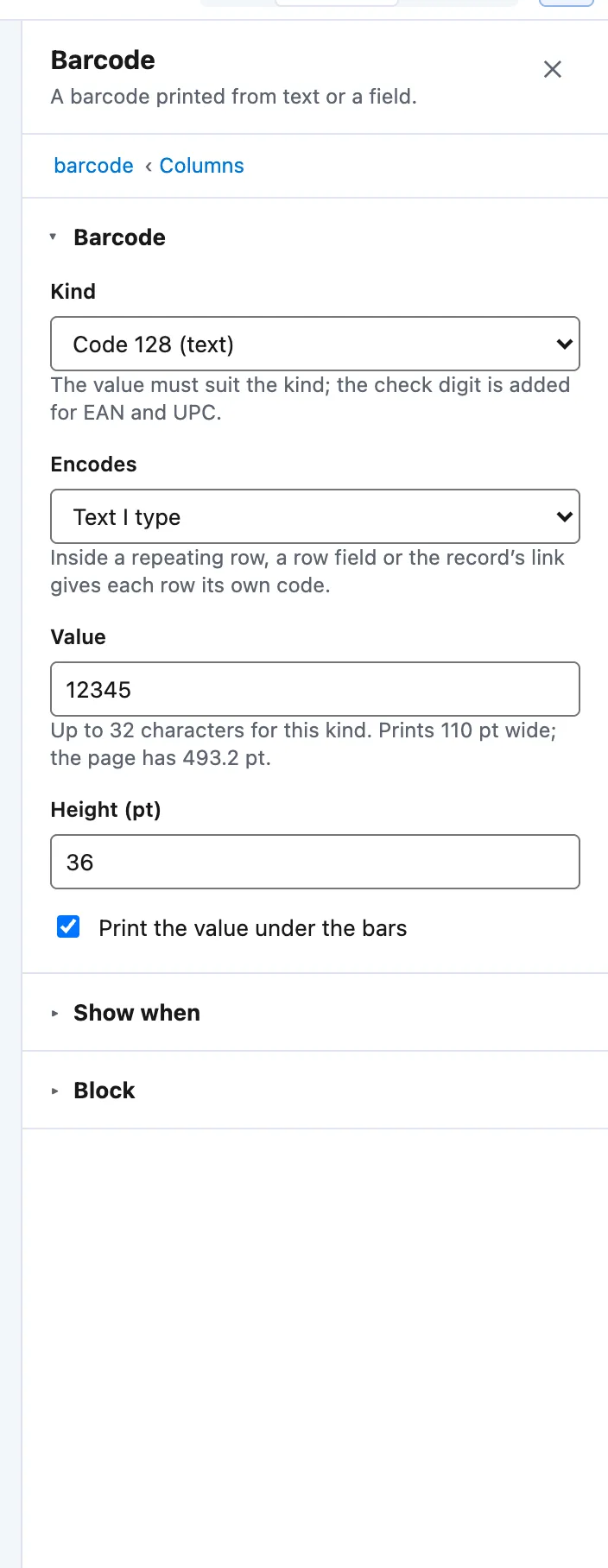
The Barcode panel: Kind, Encodes, Value, Height (pt) and Print the value under the bars. -
To give each table row its own code, put the code in the row and choose a row field under Encodes.


Example
The Brindlewick sample prints two codes under a Scan to visit heading.
| Code | Encodes |
|---|---|
| QR code | Field: Website, so a phone opens the customer’s site |
| Barcode | Field: Account Number |
Check it worked
Preview draws the codes. Make a proof, open the PDF and scan the QR code with a phone.
If it doesn’t work
| What you see | What to do |
|---|---|
| The barcode is refused. | The value must suit the Kind. EAN-13 needs 12 or 13 digits, UPC-A 11 or 12, Code 39 only A to Z and 0 to 9. Docable adds the check digit for EAN and UPC. |
| The document stops because it has too many codes. | One document holds up to 60 different QR codes and 60 different barcodes. Split a long list into several documents, or print the value as text. |
| A field is not offered under Encodes. | A code reads only fields it can reach where it sits: a row field only inside that row. |
Next
Something unclear or wrong? Tell support. Product page: The editor.