
Write and format a document
Last updated 26 October 2026.
For template authors new to the editor: at the end, you have a saved template with styled text, fields and the page set up.
Before you start
- You have the Template Author role (Docable Configure and Docable Definition Author).
Steps
-
In the Docable app, open Templates and choose your template. It opens in Edit.
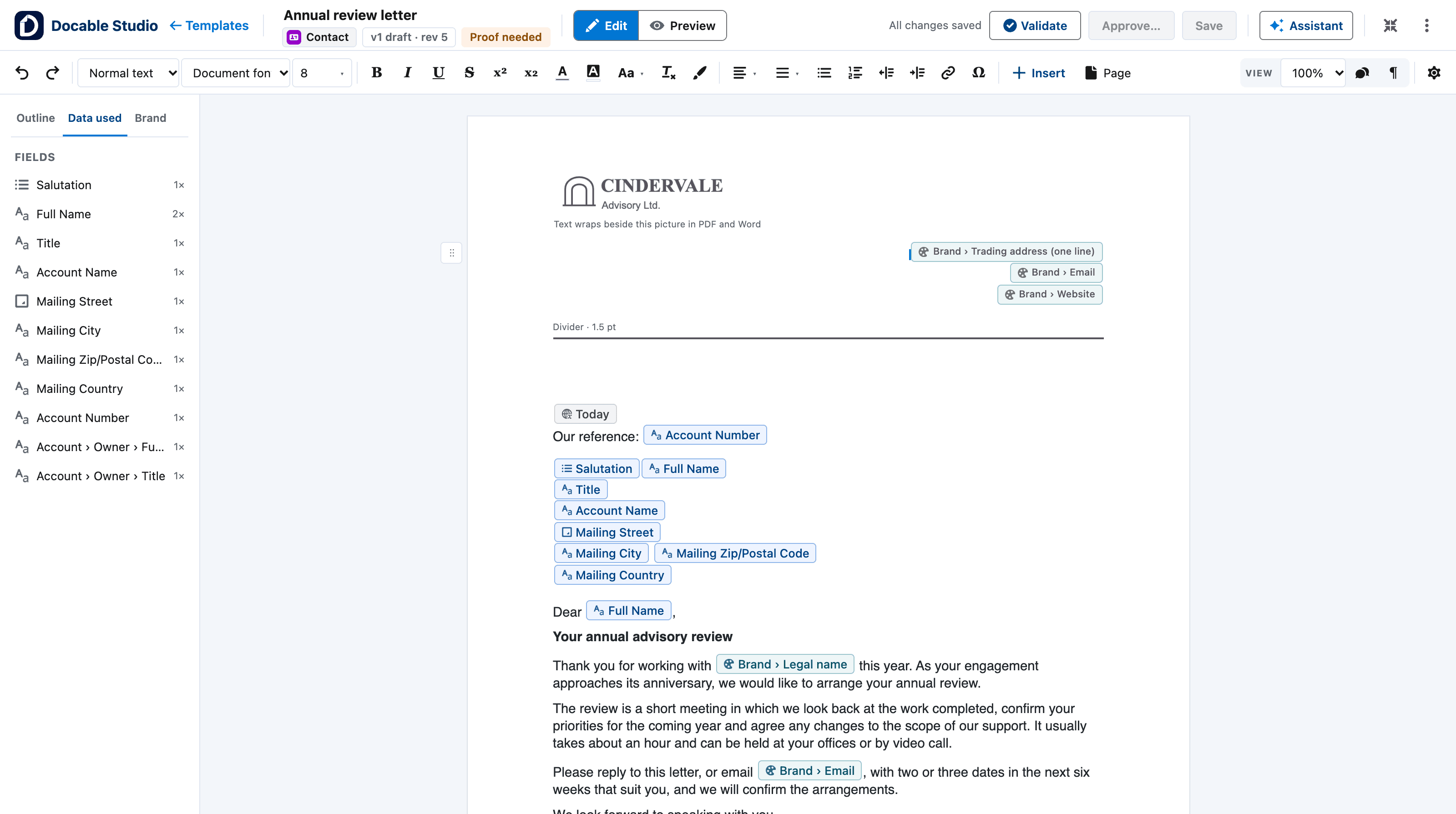
- Edit and Preview, Validate, Approve…, Save. Switch between writing and previewing, and run the checks.
- The toolbar holds text, structure and insertion.
- The left panel has three tabs: Outline, Data used and Brand.
- The page is a white A4 sheet. Faint rules mark where each page ends.
- Fields sit in the text as chips. Type @ to insert one.
The editor with a customer letter open. View full size -
Click in the page and type. Press Enter for a new paragraph.
-
In the toolbar, choose a paragraph style: Normal text, Heading 1 to Heading 6, Title, Subtitle, Caption, Quote or Small print.
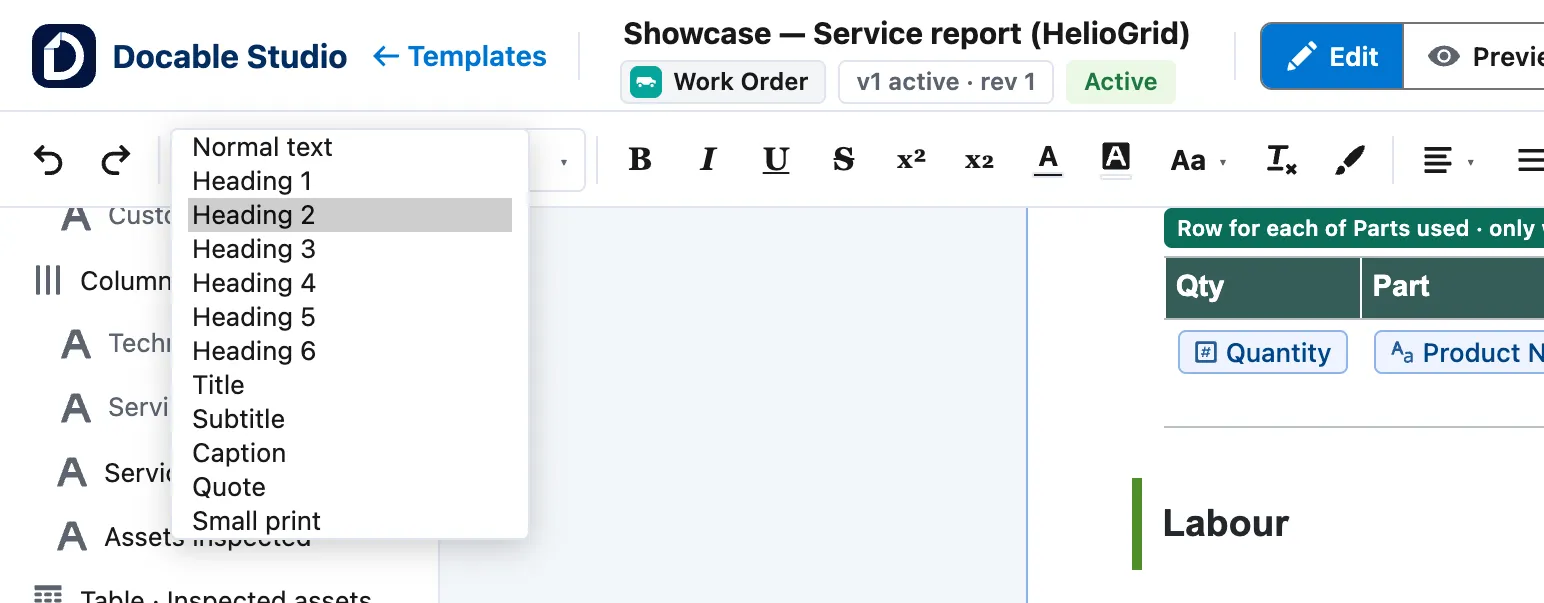
The toolbar's text style list: Normal text, Heading 1 to Heading 6, Title, Subtitle, Caption, Quote and Small print. -
Select text, then use the toolbar for font, size, Bold, Italic, Underline, colour, alignment, lists and Link.
-
Type
@to insert a field, or/to insert a block such as a table or a page break. Insert opens the same list. -
Choose Page to set paper, margins, header and footer, page numbers, watermark and outputs.
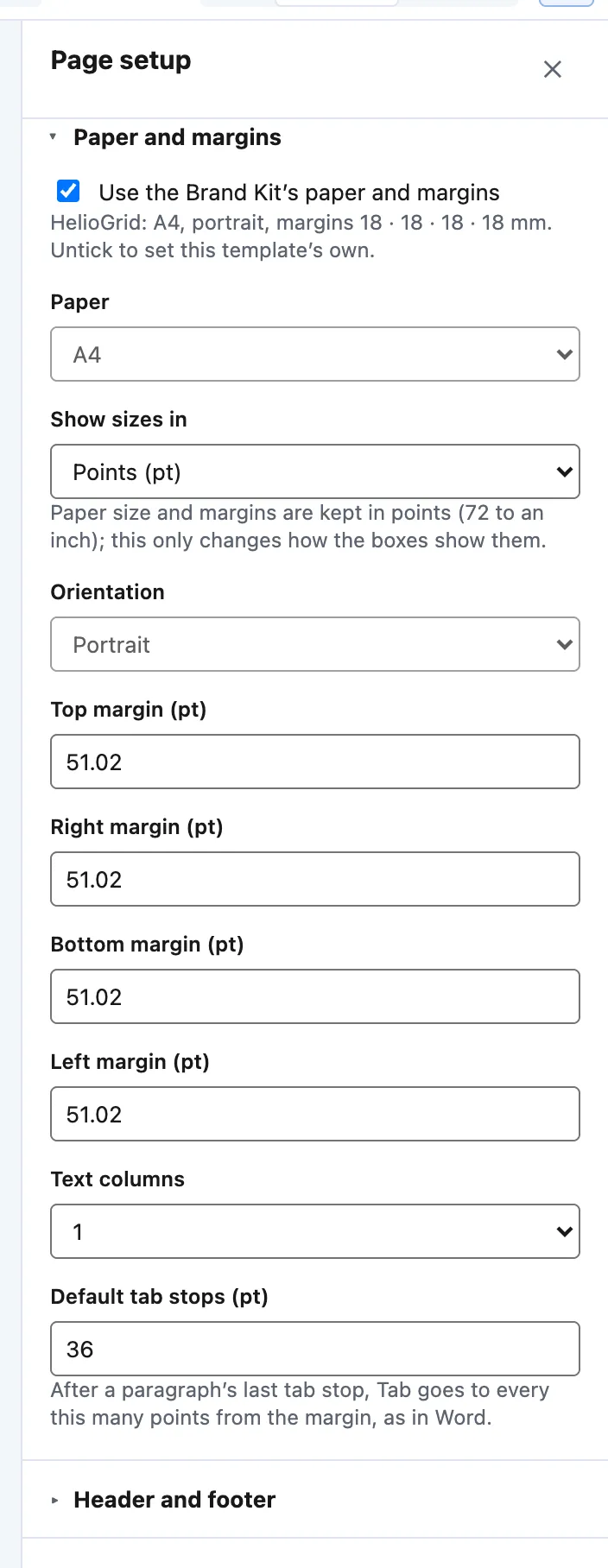
Page setup › Paper and margins: Use the Brand Kit's paper and margins, Paper, Orientation, the four margins, Text columns and Default tab stops. -
Choose Save. The app bar reads All changes saved.


Example
The Formal customer letter quick start sets up the Cindervale letter like this.
| Where | Setting |
|---|---|
| Page › Paper and margins | Paper A4, Orientation Portrait, Top margin (pt) and Bottom margin (pt) 56.69, Left margin (pt) and Right margin (pt) 70.87 |
| Page › Header and footer | Different first page on, so the letterhead prints on page 1 only |
| Subject line | Bold |
| Address lines | Custom spacing and indents… with Space after (pt) 0, so the lines sit together |
| Signature name | Keep with next on, so it never separates from the title under it |
Check it worked
The app bar reads All changes saved. Choose Preview to see the page filled in from a record.
If it doesn’t work
| What you see | What to do |
|---|---|
| The page will not change, and a notice says the template is open read-only. | Ask the template’s owner for edit access. If you are viewing an earlier version, choose Back to my draft. |
| Save is greyed out. | Nothing has changed since the last save, or you are viewing an earlier version. |
| A paste brings in odd formatting. | Docable lists what it cannot keep before it applies the paste. Apply it, then choose Clear formatting on what remains. |
Next
Something unclear or wrong? Tell support. Product page: The editor.