
Show a section only when it applies
Last updated 26 October 2026.
For template authors: at the end, part of your template prints only on the records it applies to.

Before you start
- You have the Template Author role (Docable Configure and Docable Definition Author), and the template is open in Edit.
Steps
-
Select what to control: a paragraph, a table, a picture or a whole section.
-
In the selection bar, choose Show when…. The Show when panel opens on the right.
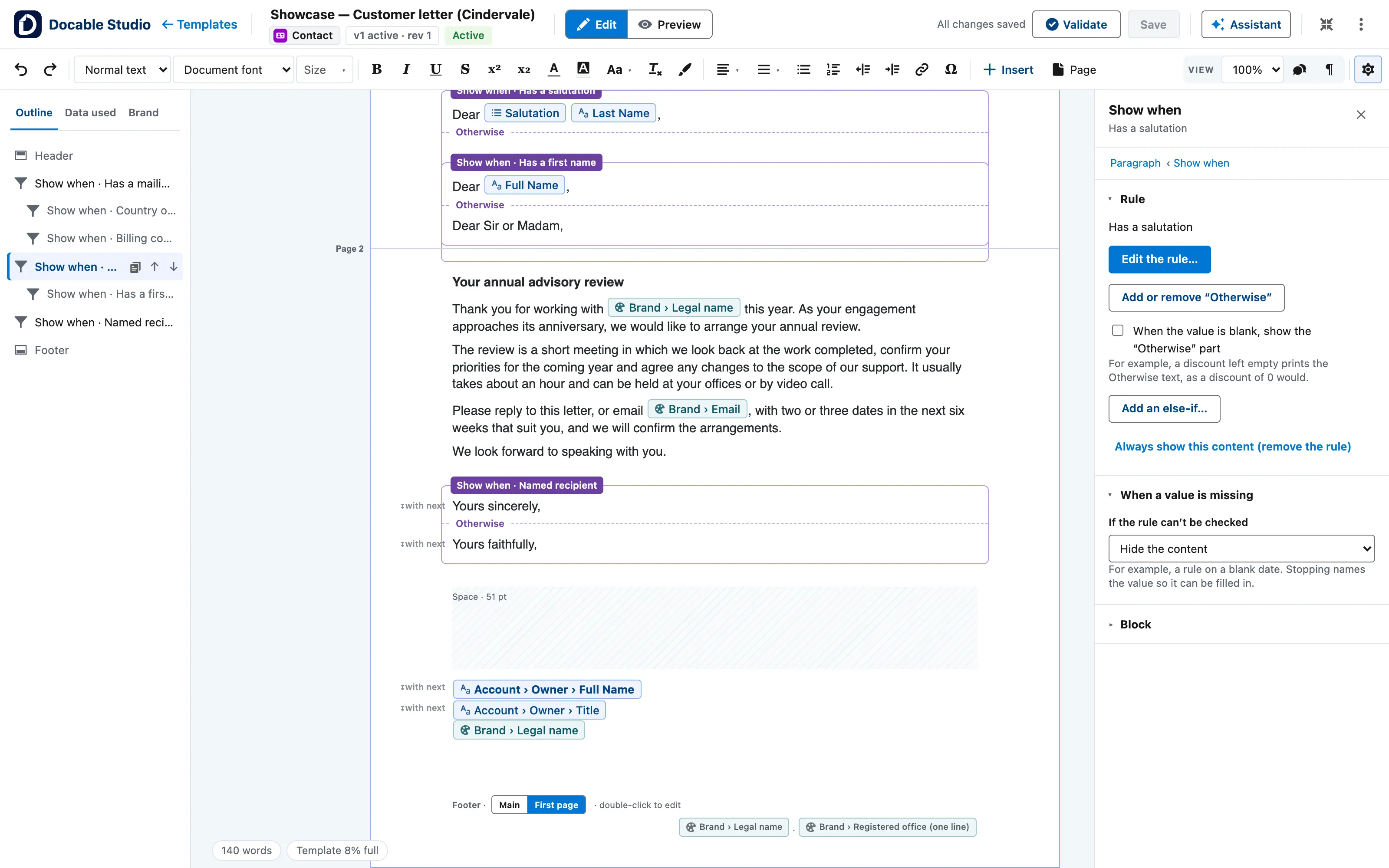
A customer letter in Edit view with a Show when section selected: the rule in the right panel, Edit the rule, and Add or remove Otherwise. -
Under rule 1, open Choose what to test… and pick a field, a related list, a calculation or a system value. Then pick the test and a value: for a field, for example is blank or >; for a related list, has any row where… and the rule each row must meet.
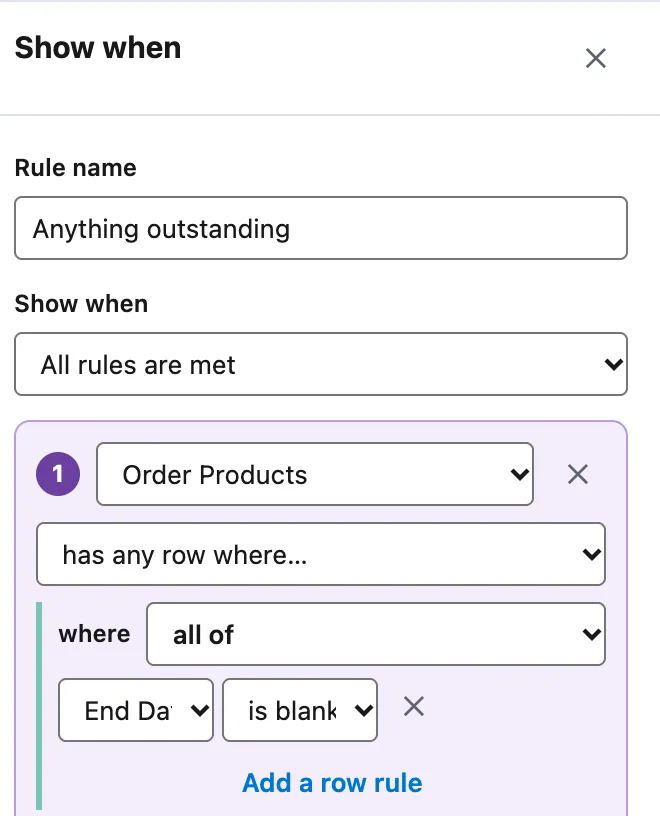
The Show when panel with the example rule: Order Products has any row where End Date is blank. -
To add another test, choose Add a rule. Then set Show when to All rules are met, Any rule is met or Custom logic, such as
1 AND (2 OR 3). -
Optional: under Test on records, find a record and choose Test rules. Each record reads shown or hidden.
-
Choose Apply. A Show when label with the rule’s name now sits above the section.
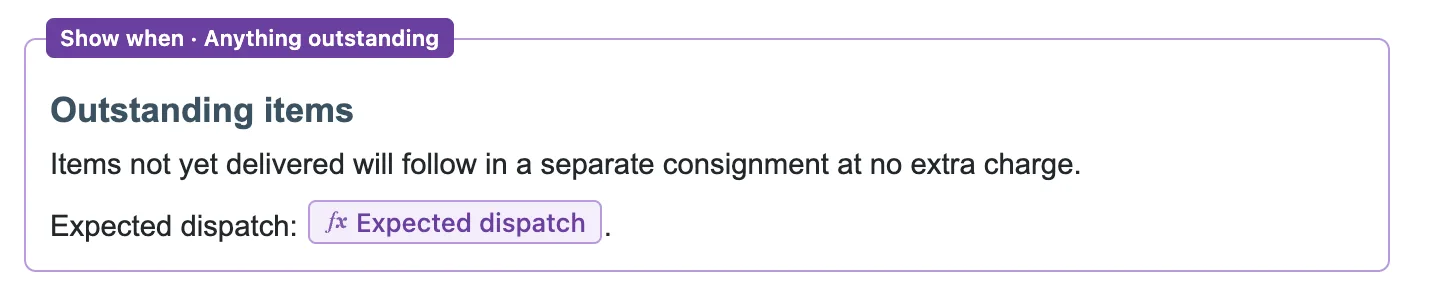
The section with its Show when · Anything outstanding label. -
Optional: to print something else when the rule is not met, select the section and choose Add or remove “Otherwise”.
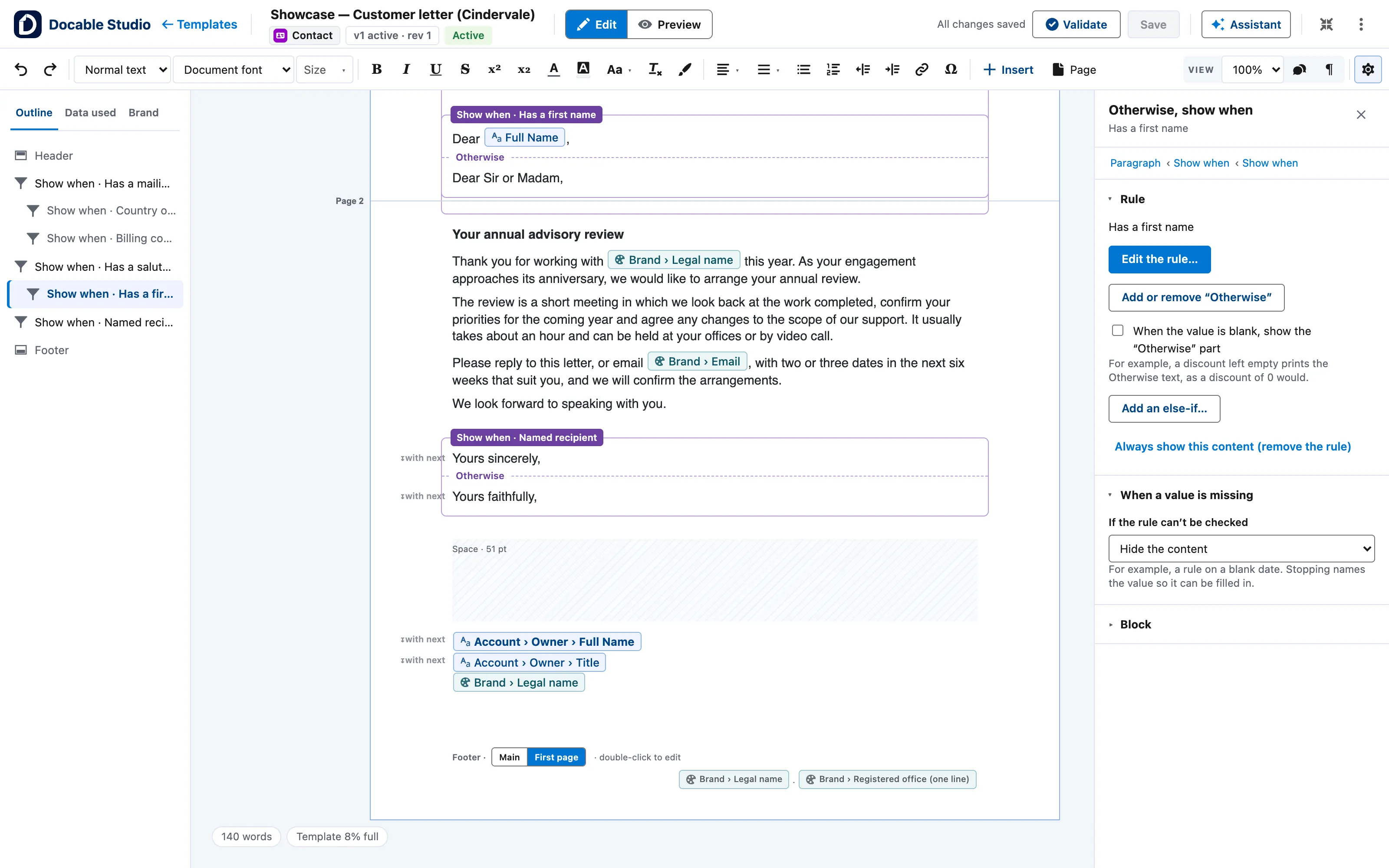
The same section with its Otherwise part added: the Otherwise, show when panel and the second salutation under the first. -
Optional: under When a value is missing, set If the rule can’t be checked to Hide the content (the default), Show “Otherwise” instead or Stop and say which value is missing.


Example
The Delivery note quick start shows Outstanding items only while a line is still to come. A line counts as delivered when its End Date is filled in.
| Setting | Value |
|---|---|
| Selected | The Outstanding items heading and the two paragraphs under it |
| Rule name | Anything outstanding |
| Choose what to test… | Order Products, under Related lists |
| Test | has any row where… |
| Where | all of: End Date is blank |
Check it worked
In the Show when panel, under Test on records, find two orders and choose Test rules: each reads shown or hidden. Then, in Preview, choose an order with a line still to come: the section prints with its expected dispatch date. Choose an order whose lines all have an End Date: the section is gone.
If it doesn’t work
| What you see | What to do |
|---|---|
| Neither the section nor its Otherwise prints. | The rule needs a value that is blank on that record. Set If the rule can’t be checked to Show “Otherwise” instead, or to Stop and say which value is missing. |
| Show when… on a few words in a table cell opens If / otherwise value. | A cell’s words cannot be hidden on their own. Fill in that panel: it replaces the selected words. |
| A rule on Is a sandbox looks the same in every Preview. | Preview runs as the org you are in. Test the rule in a sandbox and in production. |
Next
Something unclear or wrong? Tell support. Product page: The editor.