
Combine documents into one PDF
Last updated 26 October 2026.
For anyone who prints a run: at the end you have one PDF holding every document of the run in record order, ready to print.
Before you start
- The request makes PDFs: Outputs includes
PDF. - It is for more than one record.
Steps
-
Start a run for several records from Flow, Apex or REST: make documents for many records.
-
Turn on Combine into one PDF. In Apex set
request.combine = true; over REST setcombinetotrue.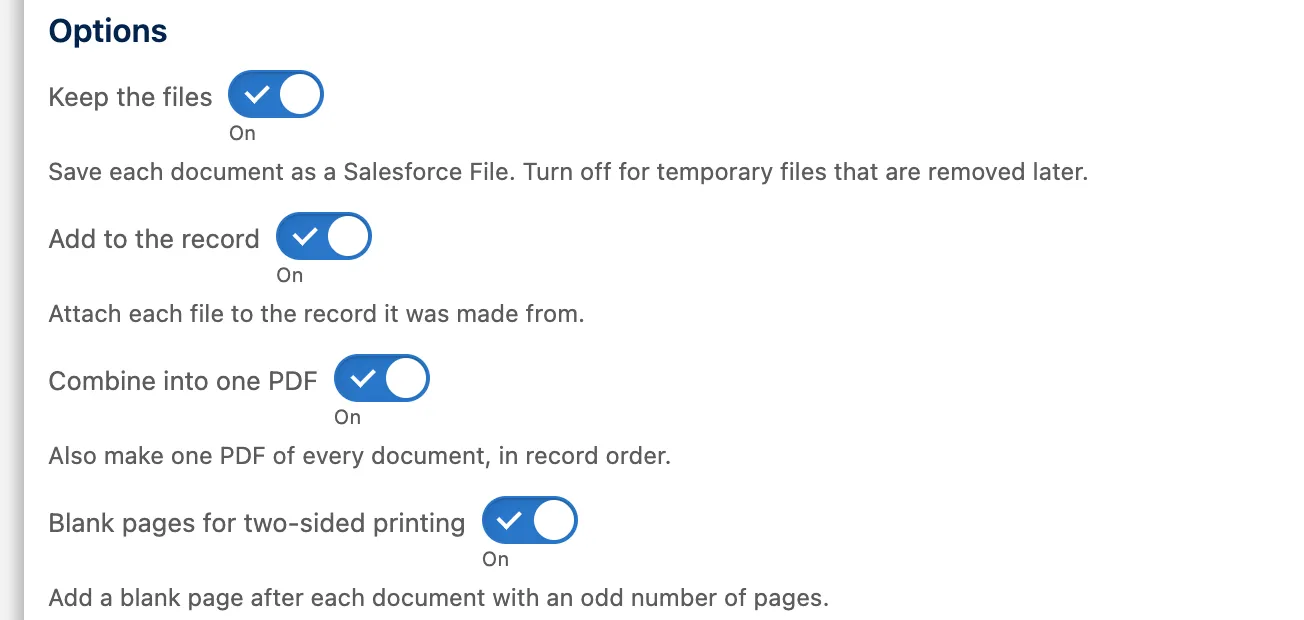
The action's Options: Keep the files, Add to the record, Combine into one PDF and Blank pages for two-sided printing, all on. -
For two-sided printing also turn on Blank pages for two-sided printing (
duplexin Apex and REST). A blank page follows any document with an odd number of pages, so every document starts on the front of a sheet. -
When every document has finished, open the Generation runs tab and choose the run. The combined PDF is listed beside the separate files.

The Generation runs tab, with how many documents each run made.


Example
Three one-page invoices with both options on make a 5-page PDF: the three invoices and two blank pages. A failed document is left out of the combined file and listed in the run.
DcsGenerateV1.Request request = new DcsGenerateV1.Request();
request.templateId = templateId;
request.recordIds = orderIds;                       // the three orders
request.outputs = new List<String>{'PDF'};
request.combine = true;
request.duplex = true;
request.requestKey = UUID.randomUUID().toString();
DcsGenerateV1.Result result = DcsGenerateV1.generate(request);
Check it worked
The run shows the combined PDF with its page count. Scroll to the end of an odd-paged document: a blank page follows it.
If it doesn’t work
| What you see | What to do |
|---|---|
GENERATION_COMBINE_NEEDS_PDF |
Documents are combined into one PDF, so the request has to make PDFs. |
GENERATION_DUPLEX_NEEDS_COMBINE |
Blank pages for two-sided printing go into a combined PDF. Turn on Combine into one PDF as well. |
| The combined PDF has no links or form fields. | A combined PDF does not keep links, form fields or accessibility tags, and holds at most 2,000 pages and 6 MB. Keep the separate documents when those matter, and split very large sets. |
Next
Something unclear or wrong? Tell support. Product page: PDF and Word output.