
Repeat a section for each record
Last updated 26 October 2026.
For template authors: at the end, your template prints one copy of a block for each related record.
Before you start
- You have the Template Author role (Docable Configure and Docable Definition Author), and the template’s base object has the related list you want, such as a case’s comments.
Steps
-
Write one copy of what should repeat. Here that is a Callout box (type
/and choose it) with two paragraphs: the date and author, then the comment. -
Select the whole box. In the selection bar, choose Repeat….
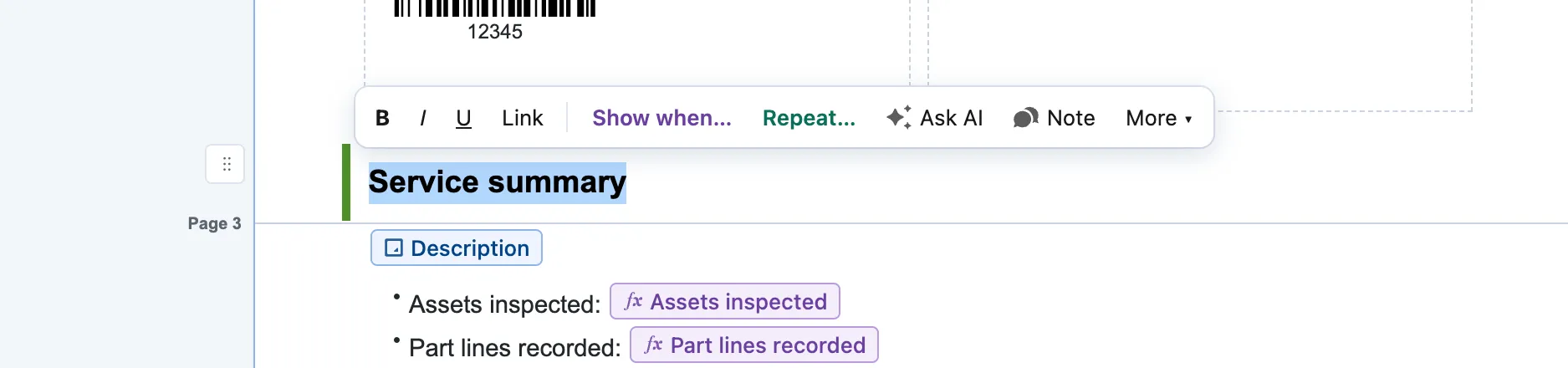
The selection bar over a selected heading: Link, Show when…, Repeat…, Ask AI, Note and More. -
Under Search related lists, type the list’s name, for example Case Comments, and choose it.
-
Leave Add as on Repeating section · the content repeats per record. Tick the fields you will print, set Sort by, Order and At most (records), then choose Add.
-
In the box, replace each piece of sample text with a field: type
@and choose it. A For each of label sits above the box. -
Select the repeated block. In its panel, under Records, choose Filter, sort and limit… to set Only records where. Use Show only the first to print a few records and Then print to say how many were left out.
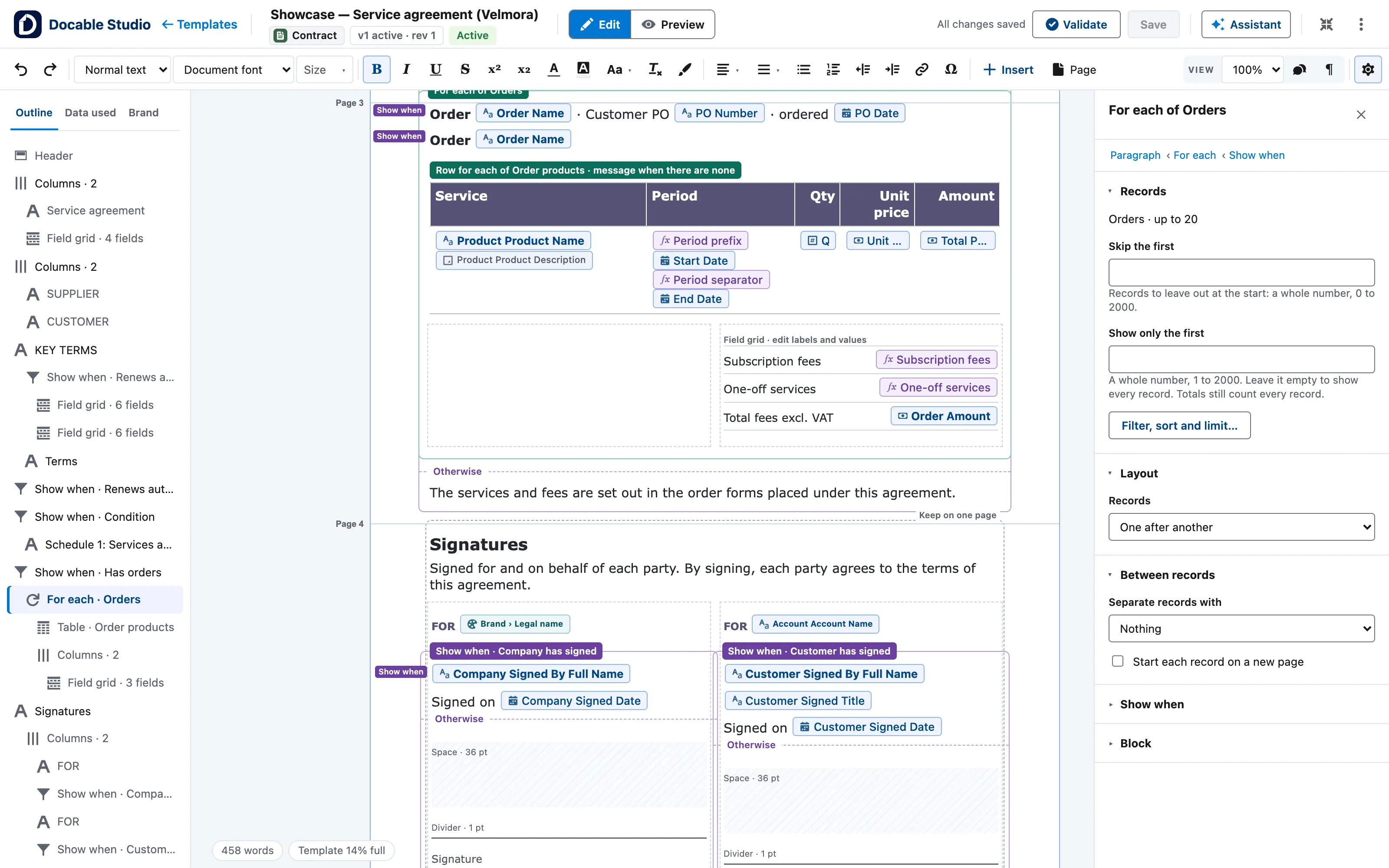
A For each of Orders section in a service agreement, with its panel: Records (Skip the first, Show only the first, Filter, sort and limit…), Layout and Between records. -
Under Between records, set Separate records with, or tick Start each record on a new page.


Example
The published comments in the Case summary report quick start.
| Setting | Value |
|---|---|
| Repeated block | A Callout box: Border width (pt) 1, Border colour Lines, Fill Callout fill, Padding (pt) 5, with Keep on one page |
| Content | Line one: the created date and time, — and the author. Line two: the comment |
| List | Case Comments |
| Only records where | Published comments only: Published is true (ticked) |
| Sort | Created Date, Z → A, high → low |
| At most (records) | 200 |
| Heading | Heading 3 Published comments, in a section with Show when the number of published comments > 0 |
Check it worked
In Preview, choose the case 00001030. The Updates section prints two boxes, newest first: 4 October 2026 15:49 and 15:16. Choose a case with no published comments: the heading and the boxes are gone.
If it doesn’t work
| What you see | What to do |
|---|---|
| A heading prints above nothing when there are no records. | Put the heading and the repeated block in one section and give it Show when the number of rows > 0. |
| The document stops because a record has more related rows than the list allows. | Raise At most (records) in Filter, sort and limit…. A document reads up to 10,000 related records across all its lists. |
| The editor will not add another repeat inside a repeat. | Repeats nest up to 3 levels deep. Take one level out. |
Next
Something unclear or wrong? Tell support. Product page: The editor.