
Bring a Word template into Docable
Last updated 25 October 2026.
By the end your Word template is a Docable draft, with its merge fields connected to Salesforce fields. No AI is needed. This guide is for template authors and administrators moving from Word mail merge or another document tool.
Before you start
- Your Word file is a
.docxof up to 1 MB, saved in your Salesforce Files as a private File: not attached to a record, not in a library and not shared by a link. - You have the Template Author role (Docable Configure and Docable Definition Author).
Steps
-
Upload the
.docxto your Salesforce Files. -
In the Docable app, open Templates.
-
Choose New, then Import a Word file.
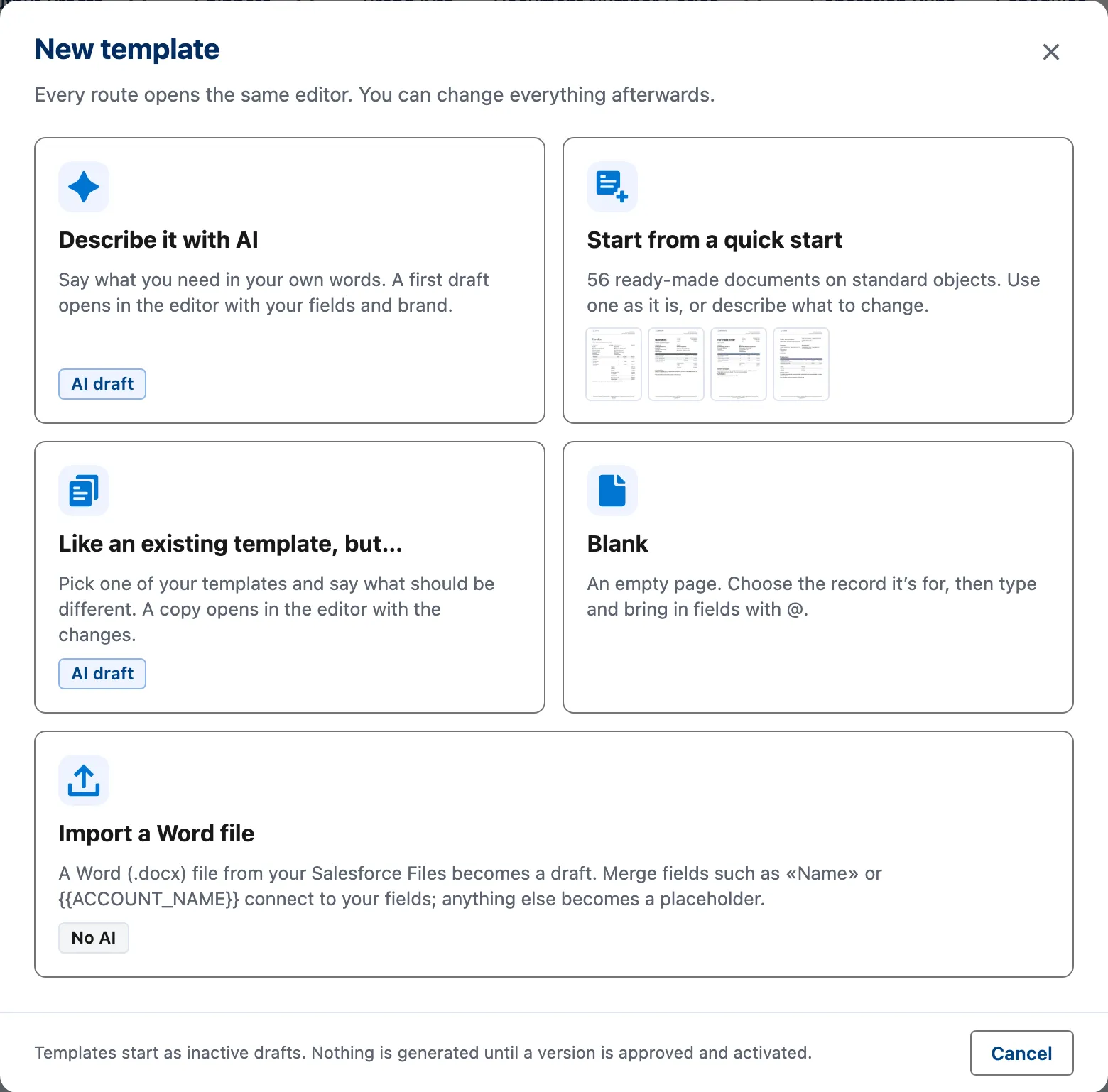
The New template dialog. Import a Word file is the fifth card. -
Search for your file under Word file and choose it.
-
Enter the Template name.
-
Choose The record it’s for and a Brand Kit.
-
Choose Import.
-
Read the report. It lists Connected to fields, Placeholders to connect, Repeating regions and Not carried over.
-
Choose Open in the editor.
-
Connect each placeholder: select it and choose the field, or type
@. Fill each picture placeholder from Files. -
Make proofs, have a reviewer compare them with your Word file, then check and approve the template.

The import never approves or activates. A PDF or a scan is rebuilt with Claude instead.
Example
| Setting | Value |
|---|---|
| Word file | A quotation with {{QUOTE_EXPIRATIONDATE}}, {{ACCOUNT_NAME}} and a {{TableStart:QuoteLineItems}} … {{TableEnd}} region |
| The record it’s for | Quote |
| Brand Kit | ForgeFlow |
| Connected to fields | Each quote field |
| Repeating regions | The region becomes a table with a row for each quote line |
These tags connect: Word MERGEFIELD, «Field», <<Field>>, {{Field}}, {{Object.Field}}, and merge tags from another document tool, such as {{ACCOUNT_NAME}}. A tag that matches no field, or more than one, becomes a placeholder named after it. Docable never guesses a field.
Check it worked
The report reads Imported as a draft. In the editor, Validate counts the placeholders still to connect. When it is clean, Preview a quote: the lines repeat as a table and the totals print.
If it doesn’t work
| What you see | What to do |
|---|---|
| No Word files are listed. | Check the file is a private .docx of up to 1 MB, then search again. |
| Docable cannot open the file, or it holds macros. | Open it in Word and save it as a plain .docx. A password-protected file cannot be read. |
| The file is too large. | An import reads at most 450 paragraphs, tables and pictures. Split the file and import the first part. |
Next
Something unclear or wrong? Tell support.