
Choose PDF, Word or both
Last updated 29 October 2026.
One snapshot
Each document's data is read once and fixed.
PDF
Made from the snapshot. Repeats the header, footer and page numbers on each page.
Word (DOCX)
Made from the same snapshot. Genuinely editable. Word repeats page furniture when it lays out.
For template authors: at the end your template makes a PDF, an editable Word file or both, and you know where the two differ.
Before you start
- You have the Template Author role (Docable Configure and Docable Definition Author).
Steps
-
In the editor, choose Page. Open Outputs and tick PDF, Word (DOCX) or both.
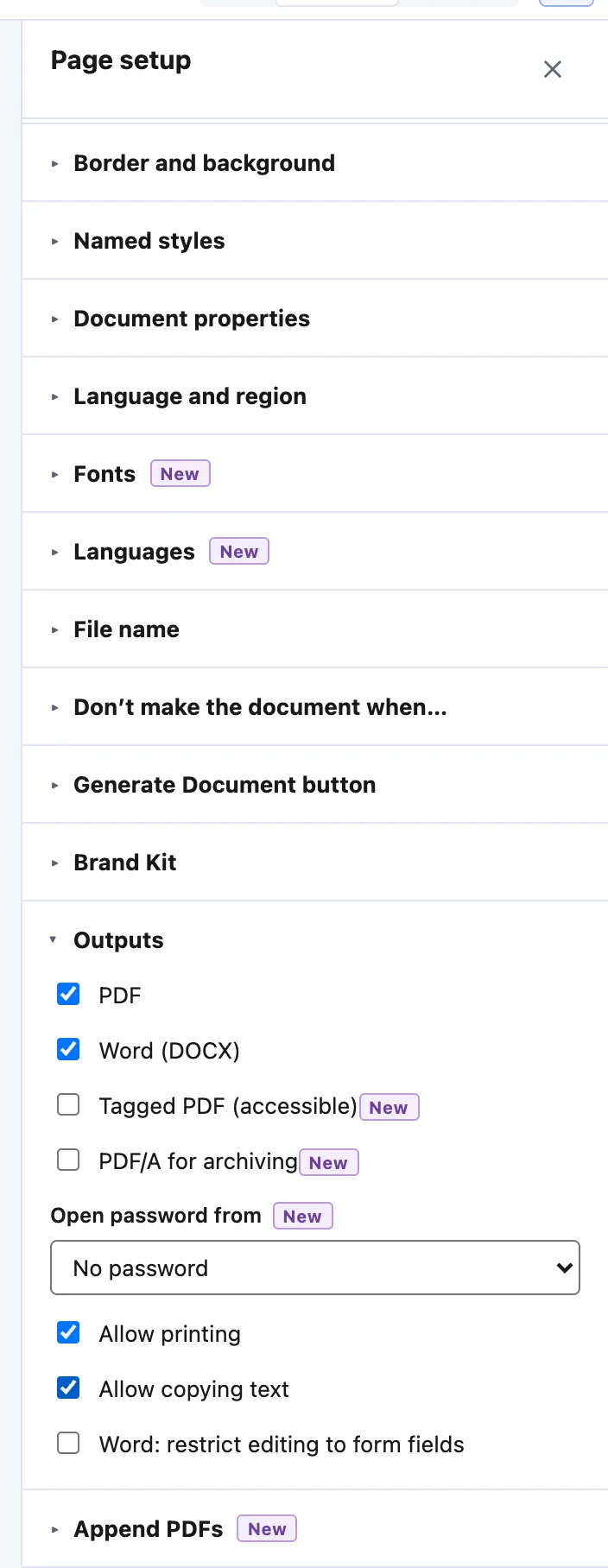
Page setup › Outputs: PDF and Word (DOCX) ticked, Tagged PDF, PDF/A for archiving, Open password from, printing and copying, and Word form-field editing. -
For a PDF, you can also tick Tagged PDF (accessible) or PDF/A for archiving, set Open password from a field, and untick Allow printing or Allow copying text. For Word, Word: restrict editing to form fields limits editing.
-
When you generate, choose PDF, Word (DOCX) or both under Make. A request for an output the template switched off is refused with
GENERATION_OUTPUT_DISABLED.

Example
Every quick start makes both. Each document’s data is read once, then both files are made from that snapshot, so the values, numbers, row order and conditions match.
| Where | Word | |
|---|---|---|
| Page furniture | Repeats header, footer and Page n of m on each page | Held once; Word repeats it |
| Long tables | Breaks as laid out | Word lays out text itself, so a row may break earlier or later |
| Callout corners | Rounded | Square |
| Appended Files | Included | Not included |
Check it worked
In the editor, choose Preview, then Make PDF and Word proofs: both proofs are made from the same record.

Both files hold the same values in the same order. Open the Word file, change a line, save and reopen it: it is a real Word document, not a picture of one.
If it doesn’t work
| What you see | What to do |
|---|---|
| A font looks different in the PDF. | A font that is not a standard PDF font and not uploaded is replaced by the closest standard one, and the proof says so. Calibri prints in Helvetica unless you upload it. |
| Form fields look different. | The PDF has fillable boxes and Word has content controls. They hold the same fields and defaults. |
| A document stops because of a letter. | Japanese, Chinese and Korean text prints only in an uploaded font that has it. Validate names the letters first. |
Next
Something unclear or wrong? Tell support. Product page: PDF and Word output.