
Show related records in a table
Last updated 26 October 2026.
For template authors: at the end, your template prints a table with a row for each related record.

Before you start
- You have the Template Author role (Docable Configure and Docable Definition Author), and the template’s base object has the related list you want, such as a quote’s line items.
Steps
-
Click where the table goes.
-
Type
@and open the Lists & tables tab.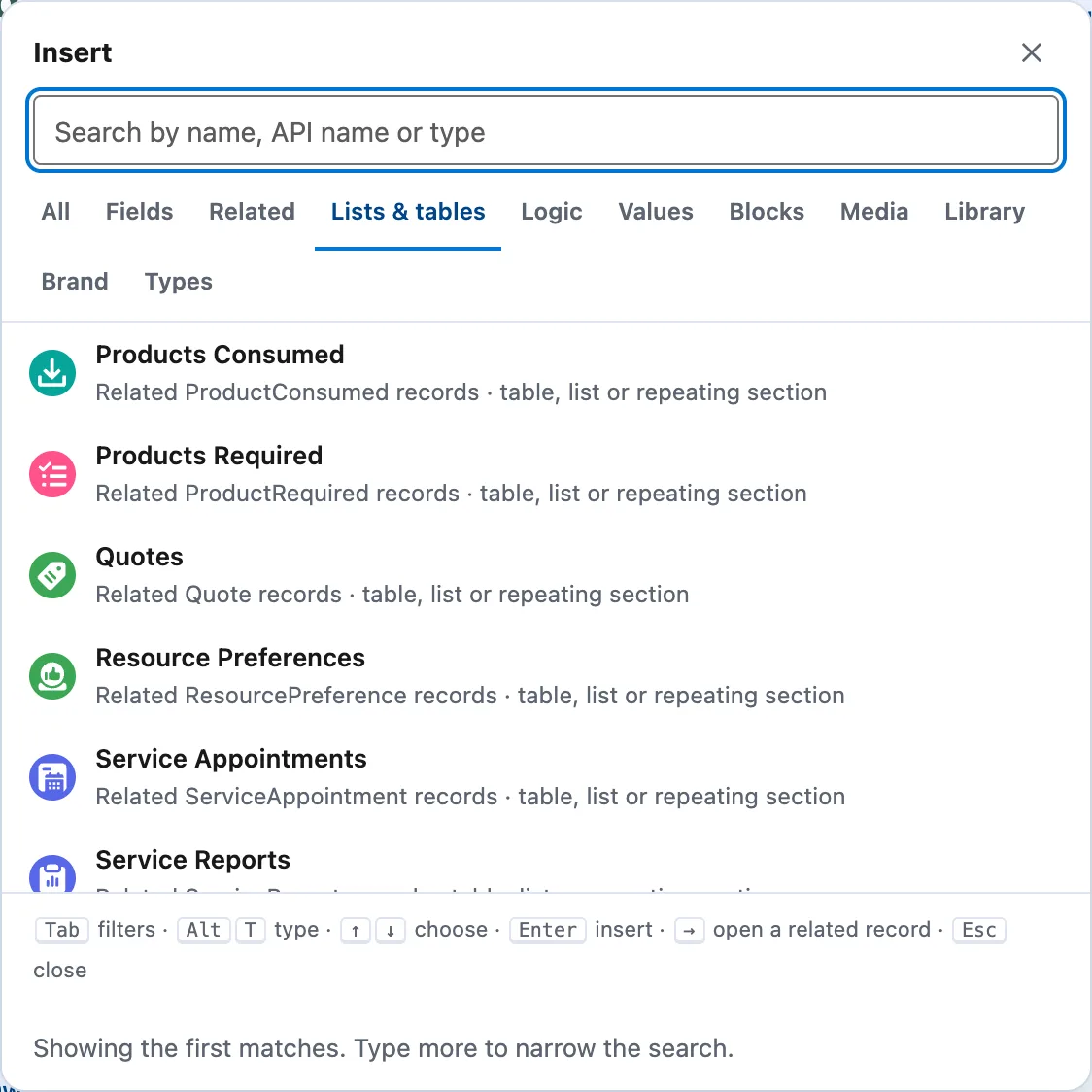
The Lists & tables tab on a Work Order: each related list, offered as a table, list or repeating section. -
Choose the related list, for example the quote’s line items.
-
In the builder, set Add as to Table · one row per record.
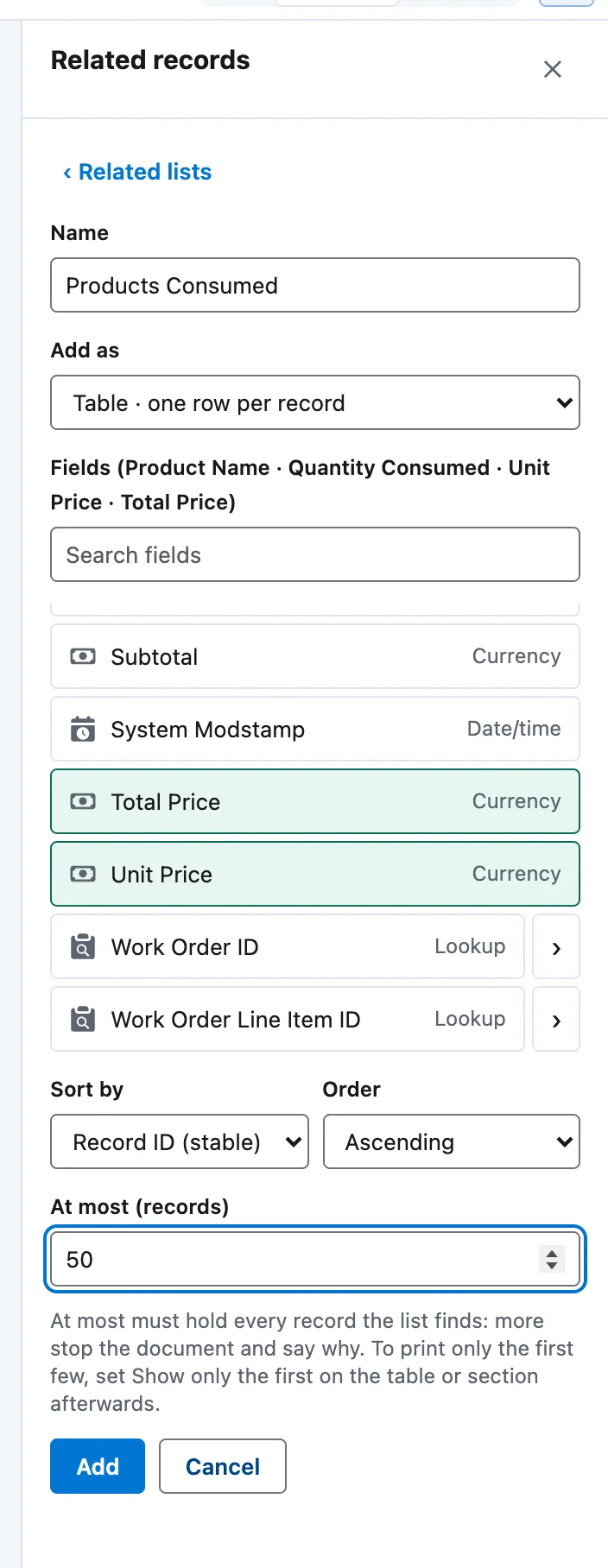
The Related records builder: Name, Add as Table · one row per record, the fields ticked, Sort by, Order and At most (records). -
Tick the fields to print as columns, set Sort by and At most (records), then choose Add. The table shows one row of chips under a green Row for each of label.

A related table in the editor: one row of chips, repeated for each record. -
Click a heading to retype it.
-
Select the table. In its panel, choose Filter, sort and limit… to filter and sort the records.
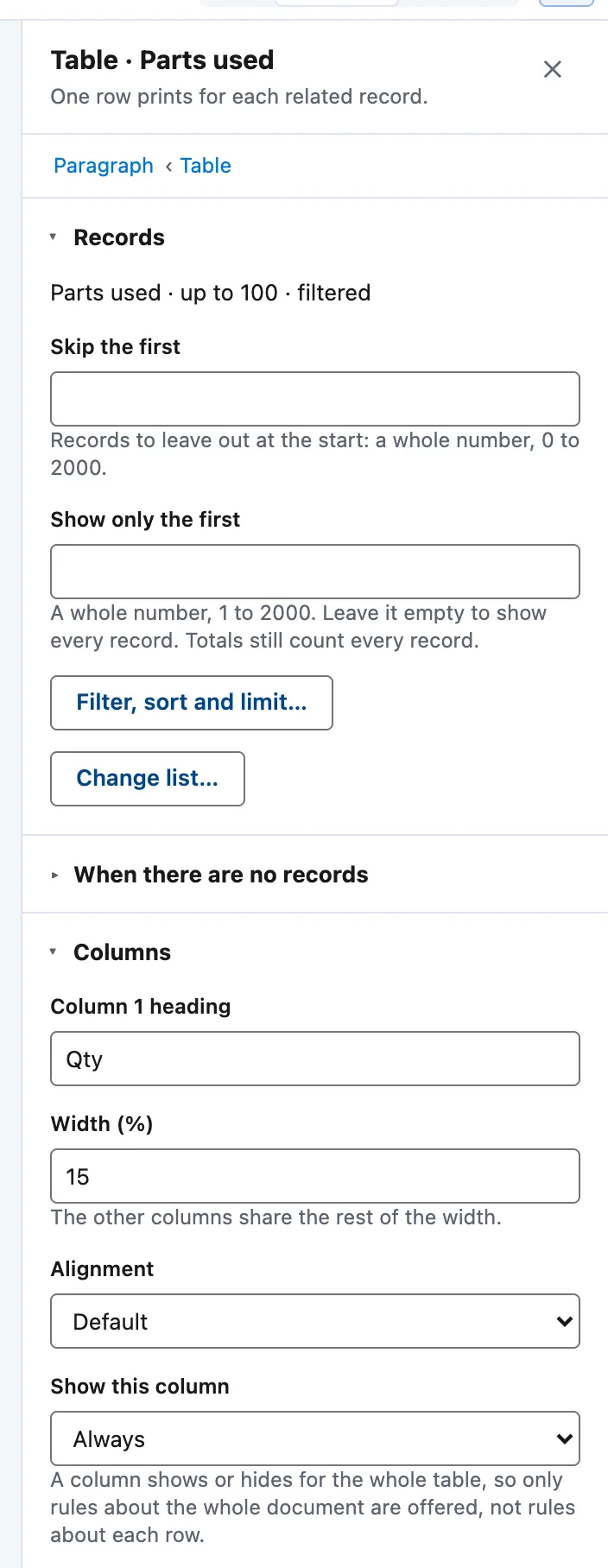
A related table's panel: Records (Skip the first, Show only the first, Filter, sort and limit…, Change list…), When there are no records, and Columns. -
Under When there are no records, type a Message.
-
Under Layout, keep Repeat the heading row on each page ticked.
-
Optional: for a total, open Totals row and choose Add a totals row.


Example
The ForgeFlow quotation’s line table, from the Branded quotation quick start.
| Setting | Value |
|---|---|
| Related list | Quote lines, the quote’s line items |
| At most (records) | 200 |
| If there are more | Stop generation and say why |
| Columns | Picture 10%, Item 38%, Lead time 16%, Qty 6%, Unit price 14%, Total 16% |
| Item cell | Product name in bold, the product code, then the line’s description |
| Message | No lines on this quotation. |
| Layout | Rows may split across pages; heading row repeats |
Check it worked
In Preview, choose the quote FF-Q-0284. The table prints five rows, one for each quote line. Choose a quote with no lines: the message prints in place of the rows.
If it doesn’t work
| What you see | What to do |
|---|---|
| The document stops because a record has more related rows than the list allows. | Raise At most (records) in Filter, sort and limit…. A document reads up to 10,000 related records across all its lists, and a list shows up to 2,000 rows for each parent. |
| You cannot put a table inside a table cell. | Use a repeating section with a table inside it instead. |
| A filter on a formula field still counts every record towards the 10,000. | Filter on a plain stored field compared with a fixed value, and give each filtered table its own related list. |
Next
Something unclear or wrong? Tell support. Product page: The editor.