
Give people access and check readiness
Last updated 26 October 2026.
By the end everyone who uses Docable has a licence and one role, setup is finished, and the Get Started tab shows what is ready. This guide is for Docable administrators.

Before you start
- You hold the Docable Admin role and Salesforce’s Assign Permission Sets.
Steps
-
In the Docable app, open Docable Setup › People and access.
-
Under a role, choose Add people.
-
Find the people, tick them and give them the role. Repeat for each role. Each role is a Salesforce permission set group, so it also shows in Salesforce Setup.
Role For Docable Admin Setting Docable up: settings, Finish setup, People and access Template Author Writing templates, making proofs, using AI Approver Approving and activating templates Document User Making documents Give Extra access only to the people who need it: Brand Manager and Approve Brand for Brand Kits, Schedule Manager to activate schedules, Generate in System Mode, and portal access. The permission sets reference lists what each role holds.
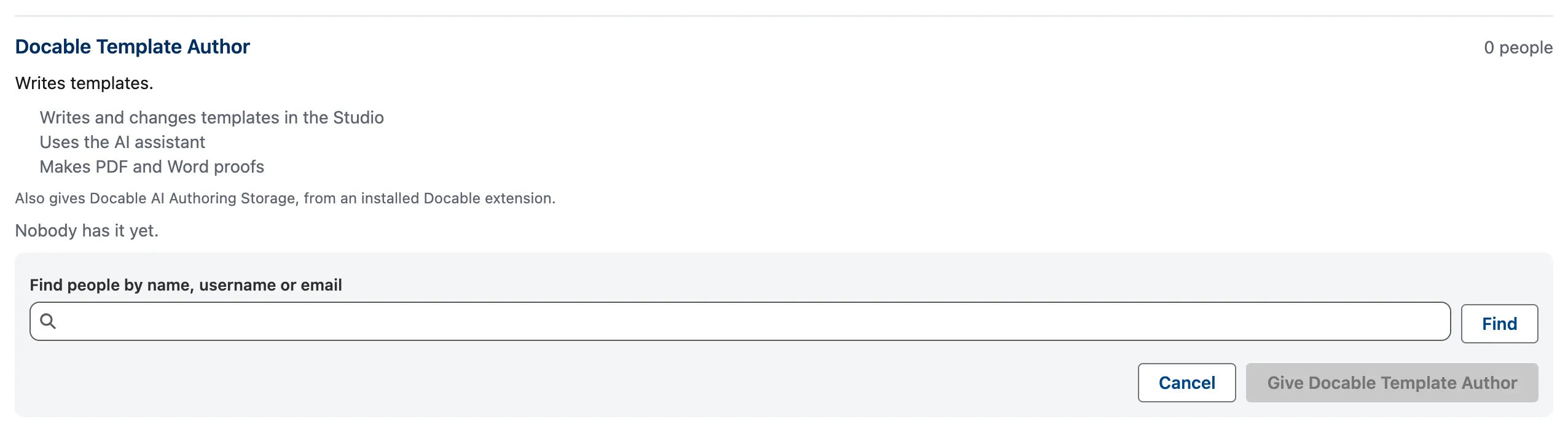
Add people under a role: find people by name, username or email, then give them the role. -
Assign each person a Docable licence.
-
Open Docable Setup › Finish setup, then choose Finish setup. It schedules every background job Docable relies on; choosing it again changes nothing.
-
Open the Get Started tab and choose Check again. Each item reads Ready, Action needed, Unavailable or Optional.
-
For each item that reads Action needed, read the line under it, fix it, then choose Check again.

Example
The team making the ForgeFlow quotation: the author has Template Author, a sales manager has Approver, and the sales team has Document User. For the author, Write templates reads Ready and Approve and activate reads Optional. Approvers reads Action needed until a second person has Approver.
Check it worked
Ready for you and This org show Ready, apart from items marked Optional. The tab keeps the time of your first check and of your first generated document.
If it doesn’t work
| What you see | What to do |
|---|---|
| Docable licence needs action. | Ask your administrator to assign you one. |
| Write templates, Make proofs or Generate documents needs action. | Give the person the role the line names on People and access. |
| Salesforce Files needs action. | Give the person access to create Files (Content). Proofs and documents are saved as Files. |
| Brand Kits needs action. | A Brand manager approves a kit in Brand Kits, or you make one with your first template. |
| Approvers needs action. | Give a second person the Approver role, or switch Templates need approval off in Docable Setup › Approval. |
| Background jobs or Clean-up sweeps needs action. | Open Docable Setup › Finish setup and choose Finish setup, so old proofs and runs do not stay in storage. |
Next
Something unclear or wrong? Tell support.